
Copy every NinjaTrader trade to every account. Even across the internet.
Replikanto copies the orders from your NinjaTrader 8 leader account to all your follower accounts, each one sized your way: on one computer, across your local network or to a VPS anywhere.
- All features unlocked in the trial
- NinjaTrader 8.1.6 and later, one build for all
- See our reviews on Trustpilot
@REP-TEST-ECHO and watch it arrive on this page in real time.
Try it now
Send a trade from your NinjaTrader. Watch it land here.
This page is a Replikanto follower on the internet, so you can test remote trade copying before you set up a VPS or a second computer. Add @REP-TEST-ECHO as a Remote Replikanto ID on your leader tab, place an order, and it appears in the live feed on this page a moment later.
Before you start
- Replikanto installed. The trial works: start it here.
- NinjaTrader connected to a live or demo data feed. Orders from the Simulated Data Feed or Playback connections are not sent over the internet.
- A signed NinjaTrader Machine ID.
- A Submit credits balance above zero. The trial includes 20, and the demo does not use them.
-
Open Replikanto
In NinjaTrader's Control Center: New > FlowBots > Replikanto.
-
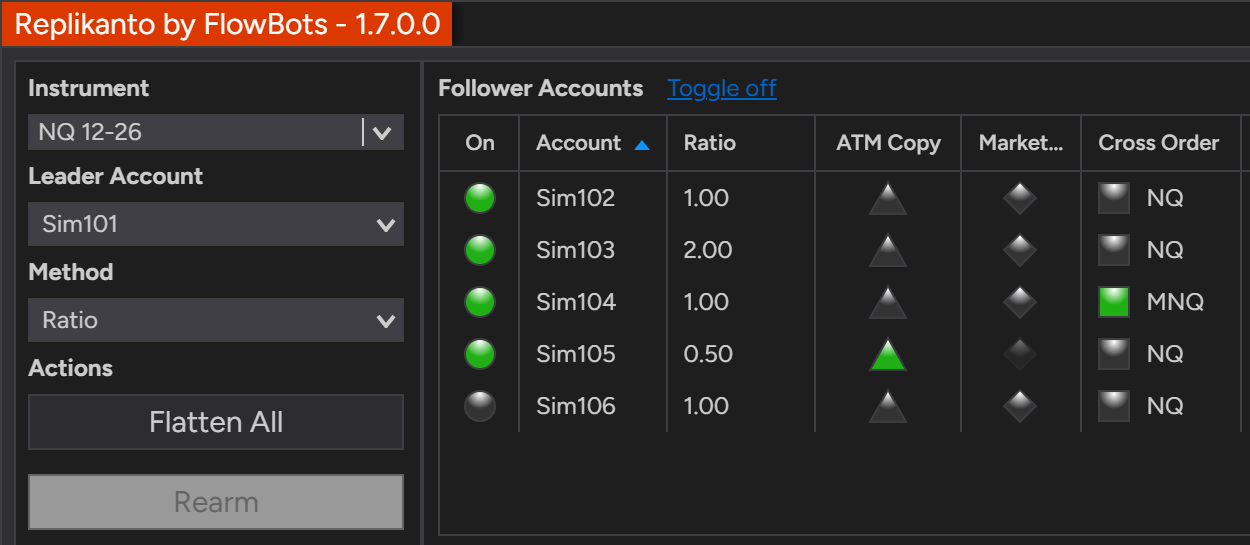
Pick the instrument and your leader account
A Sim account works, as long as its connection is a live or demo data feed. Followers are optional.
-
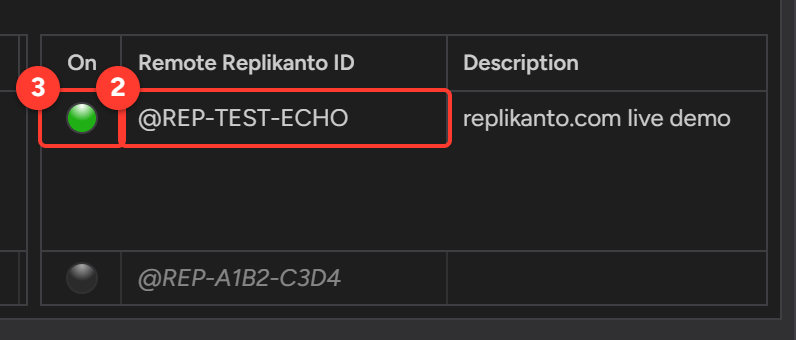
Add the demo as a Remote Replikanto ID
Under Replikanto Nodes, type in the empty row of the Remote Replikanto ID list and click its On circle. Replikanto does not save this ID with the workspace, so add it again after restarting NinjaTrader.
-
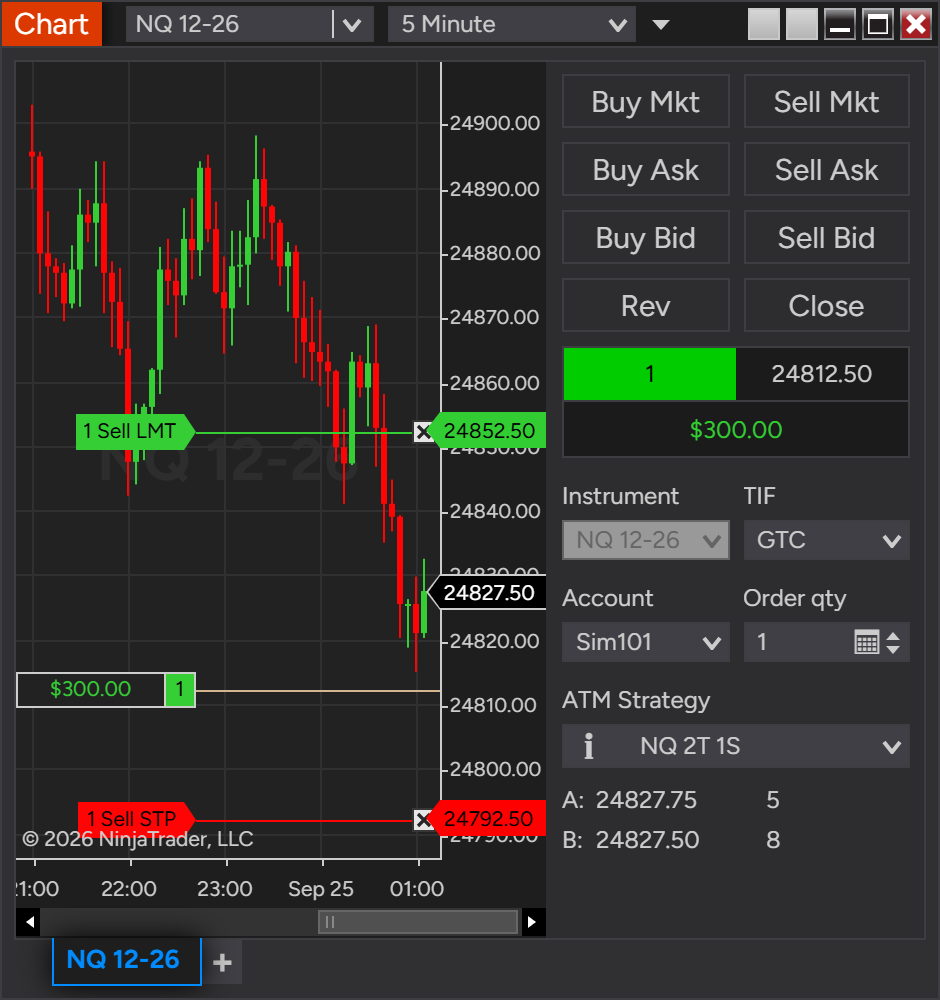
Trade the tab's instrument on the leader
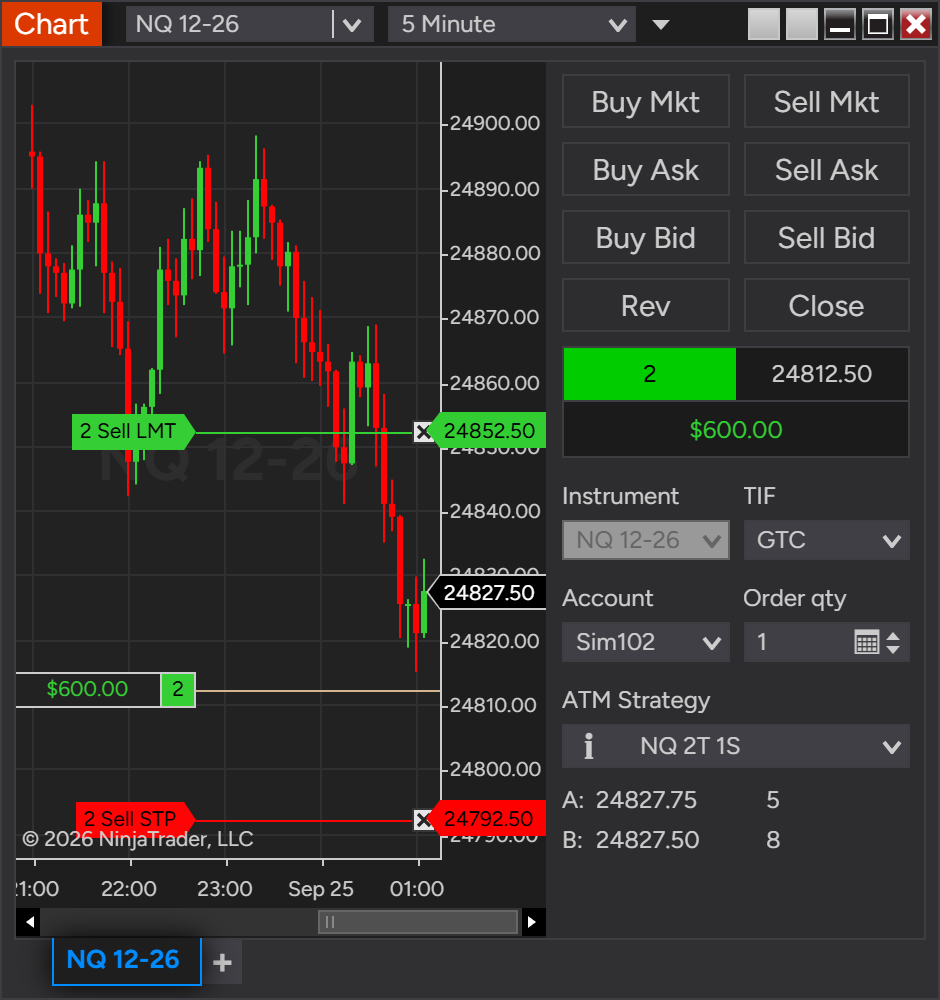
Use Chart Trader, the SuperDOM or an ATM strategy. Other traders may be testing too: an unusual quantity, like 7, makes your order easy to spot.
You trade the leader. Replikanto does the rest.
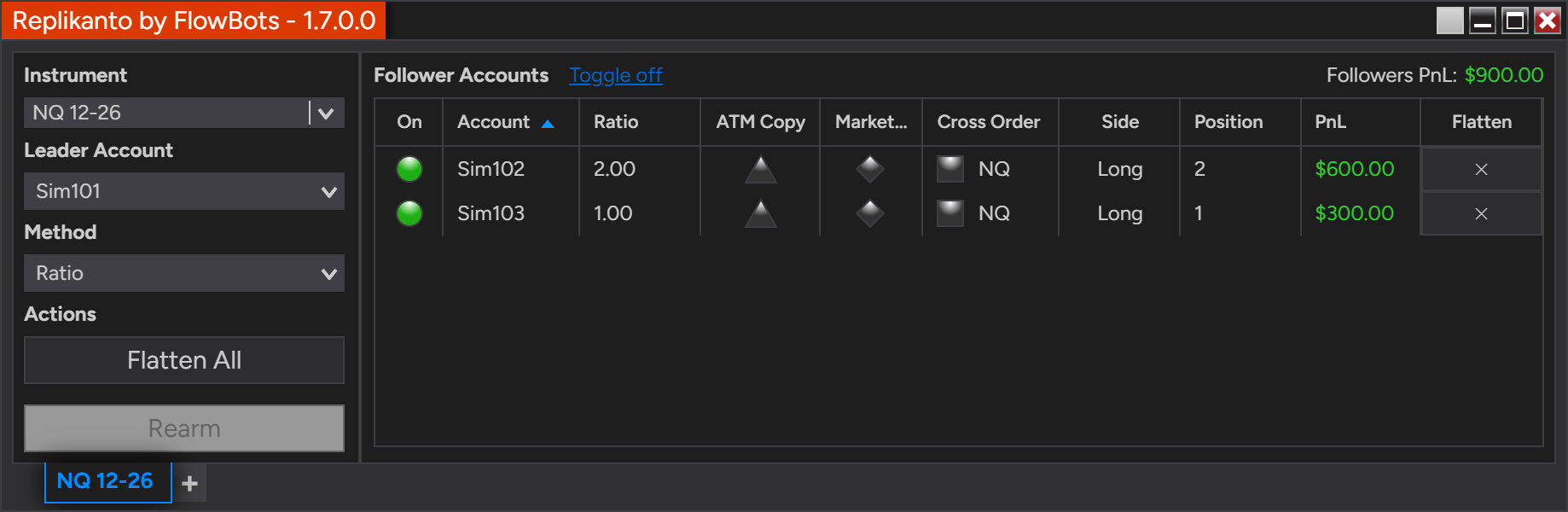
Every order on the leader account is copied to the followers, resized by the copy method you chose. Targets, stops and changes follow too.
Built for traders who run more than one NinjaTrader account
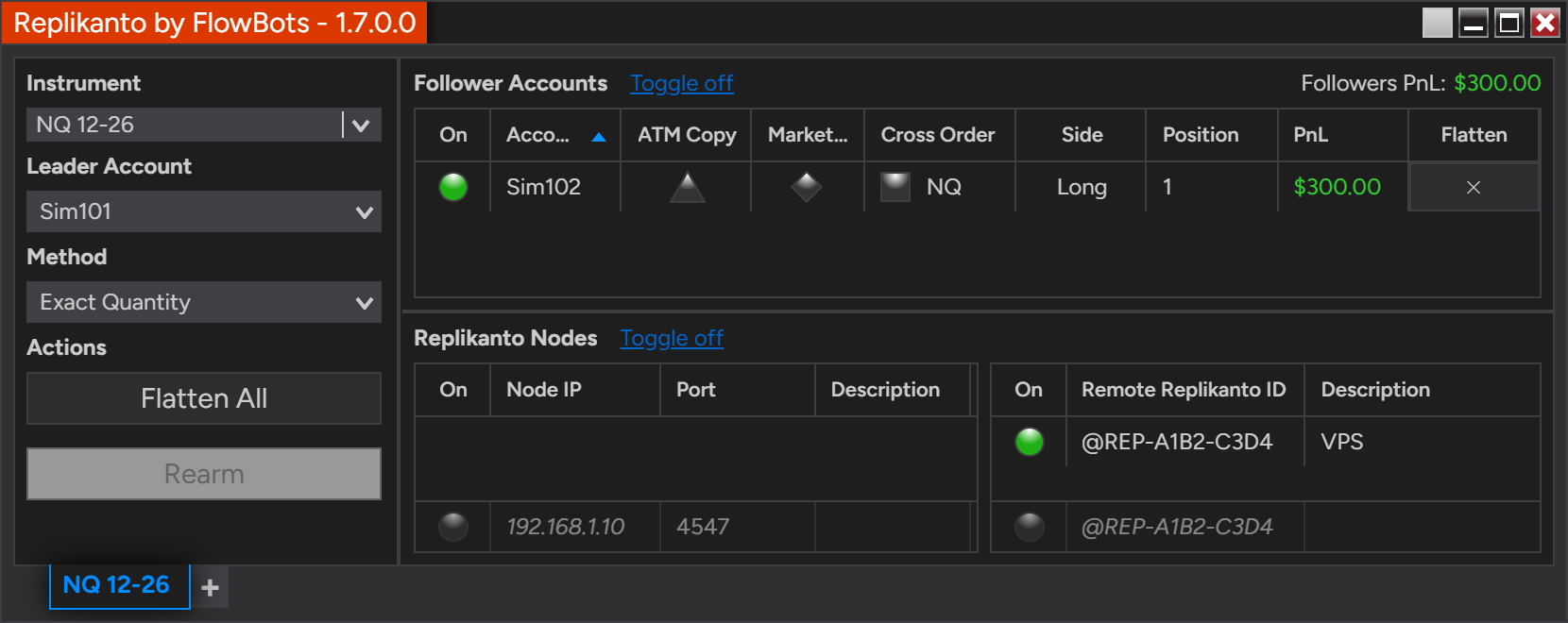
Leader, followers, copy method and status for every tab, in one window inside NinjaTrader 8.
Copies the way you trade
Chart Trader, SuperDOM, ATM strategies, OCO brackets and NinjaScript strategies. With a Tradovate leader, also Tradovate web, mobile and TradingView.
Seven copy methods
Exact Quantity, Ratio, Pooled Quantity, Pre Allocation, Net Liquidation, Available Cash and Pct Change. Size every follower your way.
ATM Copy
Followers manage their exits with your own NinjaTrader ATM strategy.
Cross Order
Copy between mini, micro and nano contracts: trade ES and copy MES or NES, or the reverse, in 36 futures families.
Home computer and VPS
Copy across your local network or over the internet. Each computer runs NinjaTrader 8 with its own Replikanto license.
Full control
Market Only, Flatten All and a Flatten button for each follower.
Copy NinjaTrader trades to another computer or VPS
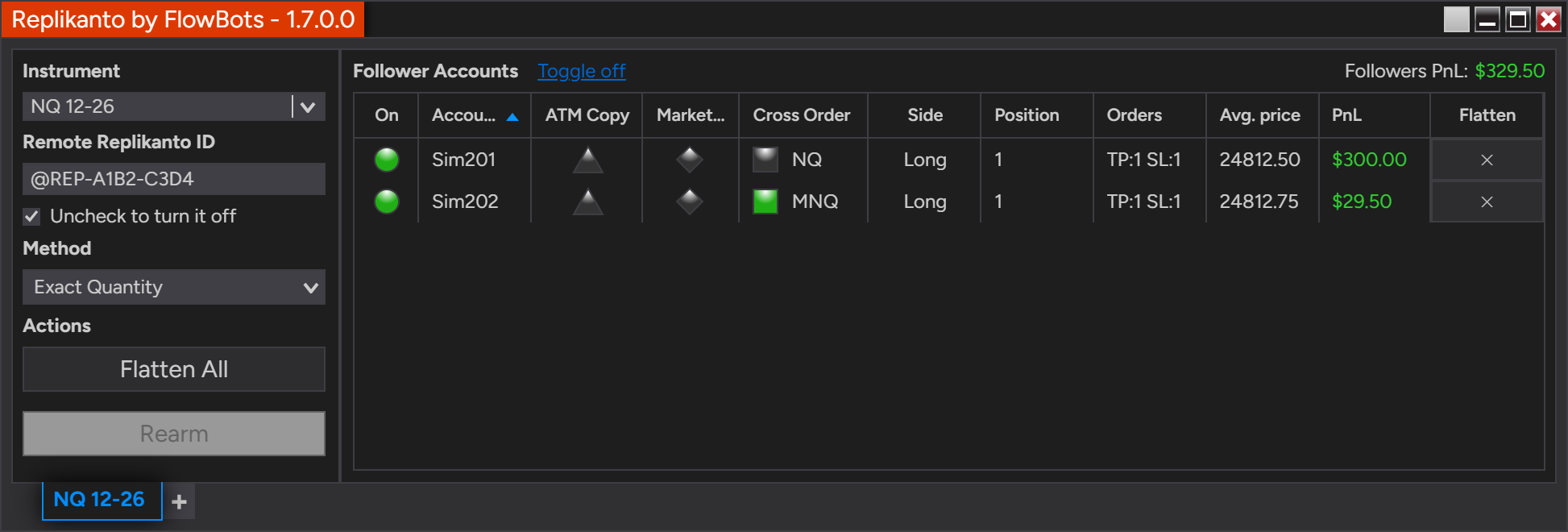
Trade at home and copy to your VPS, or the other way round. Replikanto connects the two over the internet with a Replikanto ID: no IP addresses, port forwarding or VPN.
- Internet copying uses Submit credits: one for each order sent to each remote computer. Changes and cancellations are free.
- Copying on the same computer or across your local network is free.
- Each follower keeps its own ratio, ATM Copy, Market Only and Cross Order.
Try it now with @REP-TEST-ECHO · Internet copy guide · Internet copy video
A safety net for every follower
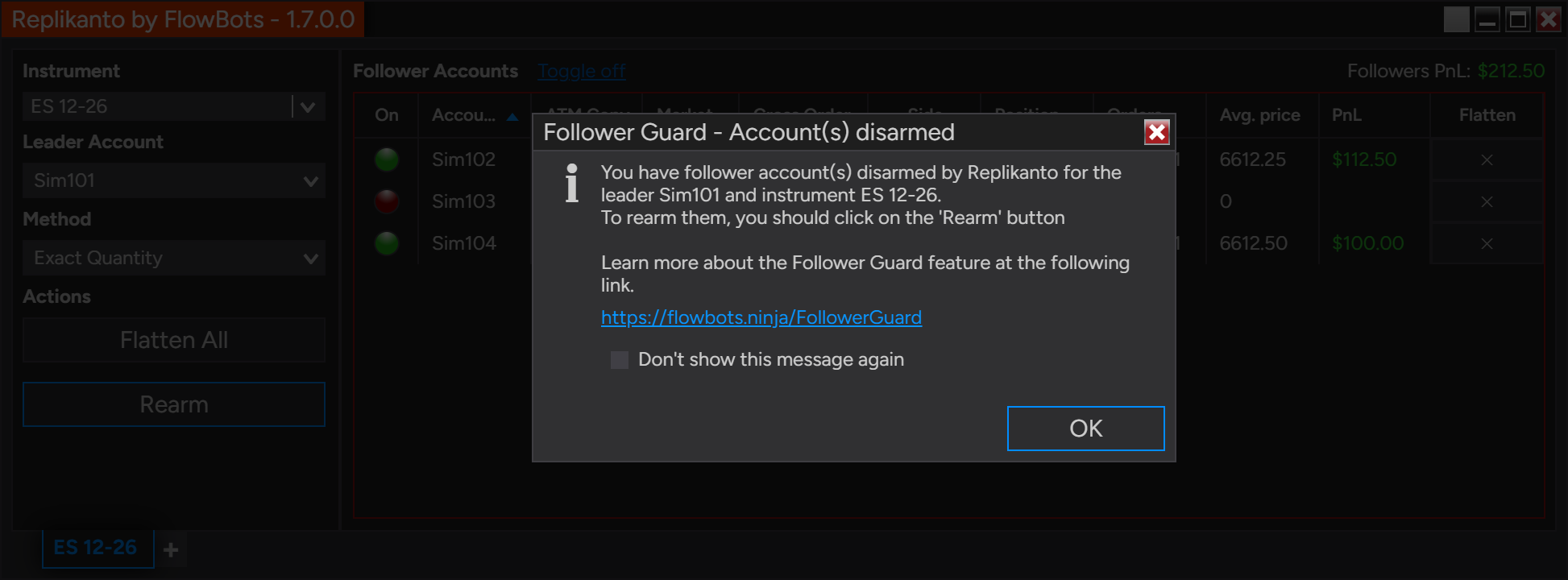
When a follower falls out of sync with the leader, ends up in the opposite direction or has an order rejected by the broker, Follower Guard can disarm that follower, flatten it and e-mail you. On Rithmic accounts, the position is checked with the broker first.
What you need to copy trades over the internet
A license on each computer
Replikanto runs inside NinjaTrader 8 on every computer that copies. The 2 Machines license covers a home computer and a VPS.
A signed Machine ID
Internet copying needs a signed NinjaTrader Machine ID. See how to get one.
Submit credits
Only the computer that sends the trades needs them. The trial includes 20, and credit packs start at 100.
We recommend starting on Sim accounts. Some prop firms do not allow trade copiers: check your firm's rules. Trading futures involves risk.
Questions about remote trade copying
Can I copy NinjaTrader trades to a VPS or another computer?
Yes. Run Replikanto in NinjaTrader 8 on both computers and, on the leader computer, add the other computer's Replikanto ID, like @REP-A1B2-C3D4, to the Remote Replikanto ID list. No IP addresses, port forwarding or VPN to set up: see the internet copy guide and Replikanto on a VPS.
How can I test internet trade copying before I buy?
Start the 7-day free trial, add @REP-TEST-ECHO as a Remote Replikanto ID on your leader tab and place an order: it shows up in the live demo feed on this page. The trial has all features unlocked and includes 20 Submit credits.
Does the @REP-TEST-ECHO demo use Submit credits?
No. The demo does not consume credits, but your Submit credits balance must be above zero.
Why doesn't my order show up in the demo feed?
Orders from the Simulated Data Feed or Playback connections are not sent over the internet, so connect NinjaTrader to a live or demo data feed. Also check that your NinjaTrader Machine ID is signed, and add @REP-TEST-ECHO again after restarting NinjaTrader: it is not saved with the workspace.
How do Submit credits work?
Internet copying uses 1 Submit credit for each order sent to each remote computer; changes and cancellations are free. Only the computer that sends the trades needs credits, and credit packs start at 100.
Can I copy trades between accounts on the same computer?
Yes. Replikanto copies a leader account to follower accounts on the same computer, across your local network (by IP address) or over the internet. Copying on the same computer or across your local network is free: see the local network guide.
Do I need a Replikanto license on each computer?
Yes, one license for each computer that copies, running NinjaTrader 8.1.6 or later on Windows. The 2 Machines license covers a home computer and a VPS: see licenses and pricing.
More answers in the Knowledge Center, or contact us.
Try Replikanto free for 7 days
All features unlocked, with 20 Submit credits for internet copying. Start on Sim accounts and move to your live accounts when you are ready.